Divi 5 reached an important milestone in September 2026: Elegant Themes declared the beta phases finished and the new builder ready for production. For people who have watched the long redevelopment from a safe distance, that removes one very reasonable objection to adopting it.
It does not remove the need for judgement.
A new website can begin in Divi 5 with a relatively clean slate. An existing Divi 4 site may contain years of layouts, global modules, Theme Builder templates, custom CSS and third-party extensions. “Ready for production” is therefore good news, not an instruction to update a busy site on a Friday afternoon and hope for the best.
This article reflects the position on 11 September 2026. Divi 5 is moving quickly and Elegant Themes says weekly updates will continue, so some details will inevitably change.
Divi 5 is a rebuild, not a cosmetic update
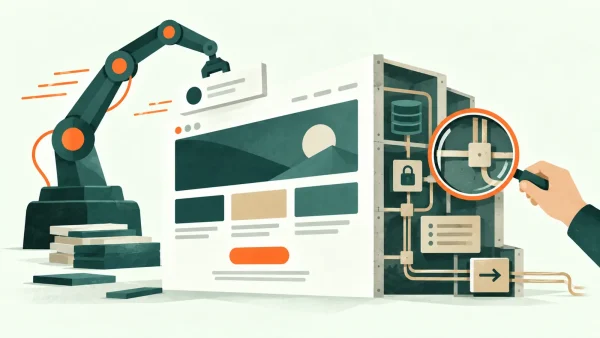
The most important change is underneath the interface. Elegant Themes says it rebuilt Divi from the ground up to remove technical debt and create a faster, more extensible foundation.
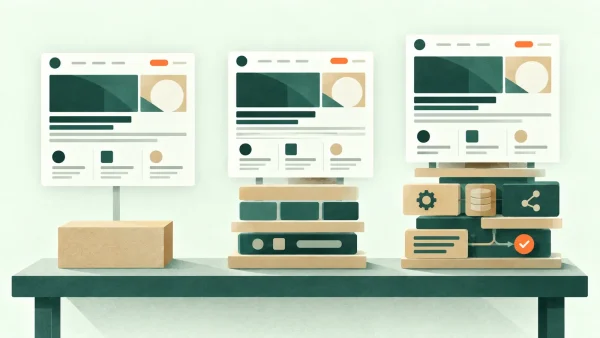
Divi 4 stores much of its layout information using shortcodes. Divi 5 adopts a block-based storage format closer in spirit to Gutenberg. It also introduces a new API for third-party developers. Those architectural changes are not especially glamorous to a site owner, but they matter because they affect builder speed, compatibility and what can be added in future.
The editing experience has also been reworked. Panels can be docked and organised, the interface is faster, settings are easier to find and the canvas can be viewed at different widths. None of those features will transform a weak content strategy, but they remove friction from ordinary design work.
The design system is the more meaningful improvement
Divi 5's strongest case is not that it provides more decorative effects. It is that the builder makes systematic design easier.
Global variables can hold colours, sizes, fonts, images, text strings and URLs. Presets can control complete elements or individual attributes such as spacing, borders and typography. Change a genuinely shared decision and the update can flow through the site instead of requiring dozens of small edits.
For a business website, that consistency is valuable. It helps prevent the slow drift in which one page uses a 46-pixel heading, another uses 52 pixels and a third contains a slightly different blue because somebody copied a value by eye.
The newer layout controls also bring CSS Flexbox and Grid into the visual builder. Grid is particularly useful for structured, responsive arrangements and repeatable content such as article cards or project listings. Divi's Loop Builder can repeat a designed item using posts, terms, users and custom-field data. In practical terms, it becomes easier to design a content system rather than manually recreate the same layout.
Responsive work is more deliberate
Divi 5 includes seven available breakpoints whose widths can be customised. That is a considerable step beyond treating the web as desktop, tablet and phone only.
More breakpoints do not automatically create better responsive design. They can produce more inconsistency if used casually. The benefit is having control when the content genuinely needs it: a long navigation label, a complex services grid or an awkward intermediate laptop width can be handled without forcing every page into the same three assumptions.
The sensible approach is still to use as few overrides as the design requires. A fluid system with clear spacing and type rules will usually age better than dozens of device-specific nudges.
The practical gain is easier future change
Site owners will naturally ask whether Divi 5 makes the public website faster. That matters, but it is only part of the value. Builder performance and front-end performance are related without being identical: a faster editing interface does not excuse oversized images, unnecessary scripts or a poorly configured host.
The less visible benefit is maintainability. When colours, type sizes, spacing values and repeated components are genuinely connected, a later change becomes a controlled decision rather than a search through dozens of pages. A new service page can reuse the established system instead of introducing another almost-matching button and another slightly different heading size.
That matters particularly for a website expected to evolve. An owner may add case studies, articles, team members or service variations over several years. Divi 5's variables, presets, Grid controls and Loop Builder can make those additions feel native to the original design, provided the system was planned rather than merely assembled.
In other words, some of the return is not visible on launch day. It appears six months later when a useful change takes an hour instead of an afternoon and does not leave the site looking gradually less consistent.
AI Agents are powerful—and should be supervised
Divi 5.12 introduced AI Agents that can take actions inside the builder from natural-language instructions. Elegant Themes says they can build layouts, edit modules and design settings, create pages, manage menus and work with Theme Builder templates. They can also use screenshots or websites as visual references.
This is a meaningful capability, especially for repetitive work or creating a first pass. It is also exactly the sort of feature that deserves boundaries. An agent can apply a design system quickly; it can also apply a poor instruction quickly. Reference material may contain patterns worth learning from without giving permission to copy another designer's work.
For client sites I would treat an AI agent as a capable production assistant: useful for bounded tasks, reviewed by a person who understands the site's goals, accessibility and technical constraints. “It generated successfully” is not the same as “it communicates well and works for real visitors”.
What happens to an existing Divi 4 site?
Elegant Themes describes Divi 5 as backwards compatible and says legacy modules can continue to run. It also presents migration as a one-click process.
That is reassuring, but the phrase “existing Divi site” covers everything from a five-page brochure site using only core modules to a large installation dependent on marketplace extensions and custom code. The latter deserves more preparation.
Before migrating, make an inventory of:
- Third-party Divi modules and child-theme customisations.
- Theme Builder templates for posts, archives, products and special content types.
- Global modules, presets and dynamic-content fields.
- Forms, pop-ups, tracking scripts and marketing integrations.
- WooCommerce, booking or membership journeys.
- Custom CSS or JavaScript that depends on Divi 4's markup.
The manufacturer may support legacy content, but only testing can confirm that your particular combination behaves as expected.
Compatibility also means more than asking whether a page still appears. A migrated layout may render correctly while being awkward to edit, while a form can look normal but fail to deliver. Dynamic fields, conditional displays, consent tools, analytics events and less frequently visited Theme Builder templates deserve deliberate checks.
The person who maintains the site afterward matters too. A technically successful migration is not especially helpful if the ordinary editing workflow becomes confusing or undocumented. Before committing, test a routine content task: change a service description, replace an image, add an article and update a global design value. The new system should make those jobs at least as clear as they were before.
Third-party extensions require particular attention because “compatible with Divi 5” may cover different levels of support. A module running through a legacy layer is not necessarily the same as a module rebuilt for the newer API. That distinction may be perfectly acceptable for now; it simply belongs in the decision rather than being discovered after the live migration.
A sensible migration process
First, create and verify a complete backup of both files and database. WordPress's own update guidance recommends backing up so the site can be restored if a problem occurs. A backup that has never been checked is more of a hope than a recovery plan.
Second, clone the site to a staging environment. Run the Divi 5 migration there, not on the public site. Then check representative pages and templates at several screen sizes.
Pay particular attention to:
- Headers, footers and post templates.
- Forms and their email delivery.
- Sliders, galleries and interactive elements.
- Dynamic content, archive queries and pagination.
- Product variations, baskets and checkout if relevant.
- Keyboard navigation, focus states and contrast.
- Page weight and real performance before and after.
Finally, ask somebody other than the person who performed the migration to try the important journeys. Familiarity hides problems. A short independent check often finds the button that stopped looking clickable or the mobile menu item that now wraps badly.
Should you migrate now?
For a new build, Divi 5 is the obvious starting point. The modern storage format, improved builder, design-system controls, responsive tools and future development path all favour it.
For a simple existing site using core Divi modules, migration may now be quite straightforward after a staging test. For a complex revenue-critical site, waiting for essential third-party extensions to confirm full support can still be the responsible choice. Staying briefly on Divi 4 while you plan is different from postponing indefinitely without knowing what the site depends on.
There is also no need to rebuild merely to claim the latest version. If the current site is secure, quick, accessible and serving the business well, the migration should have a purpose: easier maintenance, better performance, access to a new capability or a planned design refresh.
Timing should follow the business rather than the release calendar. A quiet period with a verified backup, staging copy and time for proper checks is preferable to migrating immediately before a campaign, booking season or important event. If a redesign is already planned, combining the work may avoid testing the same templates twice. If no meaningful site work is expected, a contained technical migration can be assessed on its own merits.
The decision is therefore not simply “Is Divi 5 ready?” It is “Is this particular site ready, and is there a useful reason to make the change now?”
What Divi 5 will not solve for you
A faster builder does not decide who the site is for. Global variables do not write a clear service proposition. AI cannot verify that a testimonial is genuine, that a price is current or that a contact form reaches the right person.
Divi 5 improves the tools. The quality of the result still depends on content, hierarchy, accessibility, testing and a coherent design process.
That is encouraging rather than disappointing. The new foundation gives experienced Divi users better ways to build and maintain those systems without pretending the software replaces the thinking.
If you are considering a Divi 5 build or migration, I can help you work out whether the change is worthwhile and test it methodically. You can see how I approach projects on my design process page or contact me for an initial conversation.
Sources and further reading
- Divi 5.12 release notes — Elegant Themes
- Divi 5 overview — Elegant Themes
- CSS Grid parameters in Divi 5 — Elegant Themes
- Updating WordPress — WordPress.org
Important note
This article provides general information and professional commentary. It is not advice tailored to your particular business, website or circumstances, and it should not be treated as legal, financial, privacy, accessibility, cybersecurity or other specialist advice. Any opinions are my own professional judgement based on the information available when the article was researched.
Products, prices, services, software and official guidance can change. External links are provided for reference; I do not control third-party websites and cannot guarantee their continuing availability, accuracy or content. A link does not imply endorsement of everything published by that source.
Check current official information before making an important decision. Test technical changes safely, keep a verified backup, and obtain appropriately qualified advice where the consequences warrant it. Any sponsorship, free product, affiliate link or other commercial relationship relevant to the article will be clearly disclosed.